New Five vaults · Premiere Pro 2024+ · Windows & macOS

VAULT PRO

by Render Labs

Your templates, sound effects, LUTs, YouTube clips, free stock footage and 17 one-click editing tools in one panel inside Premiere Pro.

One-time payment · Works offline after activation · Free updates

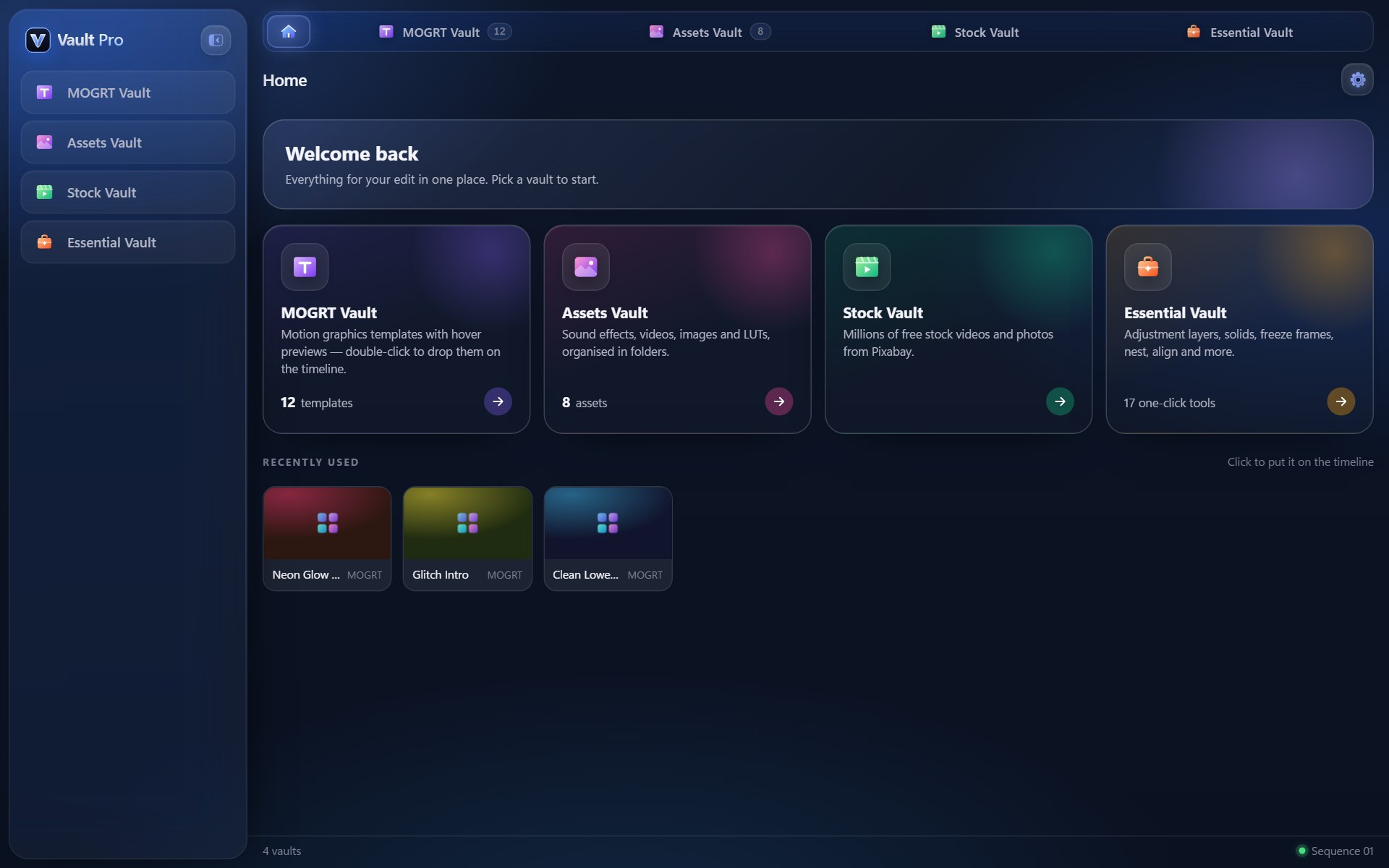
Vault Pro home screen with cards for the five vaults
One panel

Everything you reach for, one click away

Five vaults, each built for a part of your edit. Pay once and keep it.

MOGRT Vault: template library in folders Assets Vault: sound effects, B-roll, logos and LUTs YouTube Vault: search results inside the panel Stock Vault: free 4K stock video search Essential Vault: 17 one-click editing tools
MOGRT VaultTemplates with previews, in folders you control
The vaults

Stop digging through folders

Everything is organised, previewed and placed for you without leaving Premiere Pro.

01

MOGRT Vault

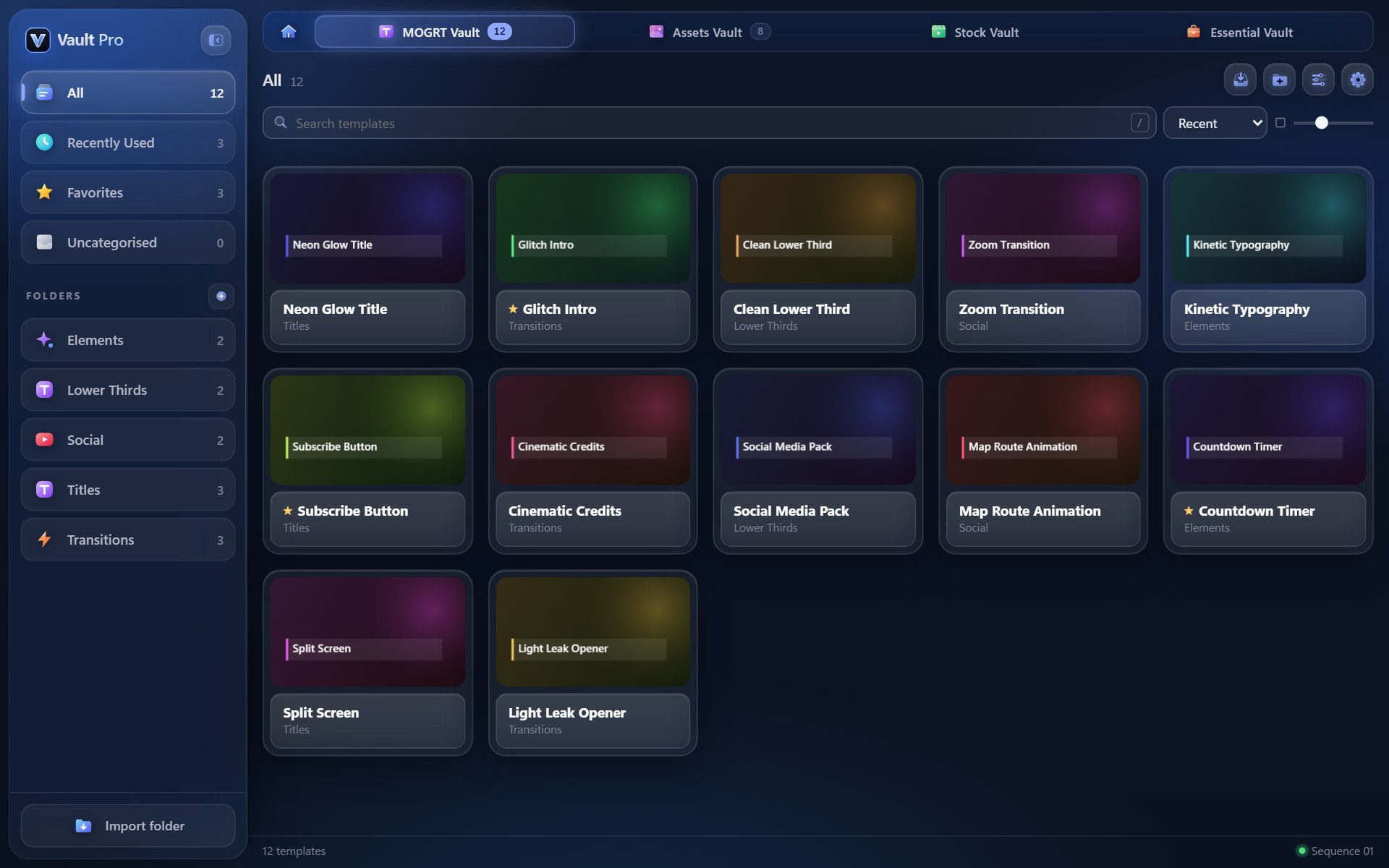
Your motion graphics templates with thumbnails and hover previews, in folders you control.

  • Double-click to place at the playhead, on a free track, never over your edit
  • Edit text, colours and fonts right in the panel
  • Import whole folders; favourites and recently used
Get it now
Template library with folders
02

Assets Vault

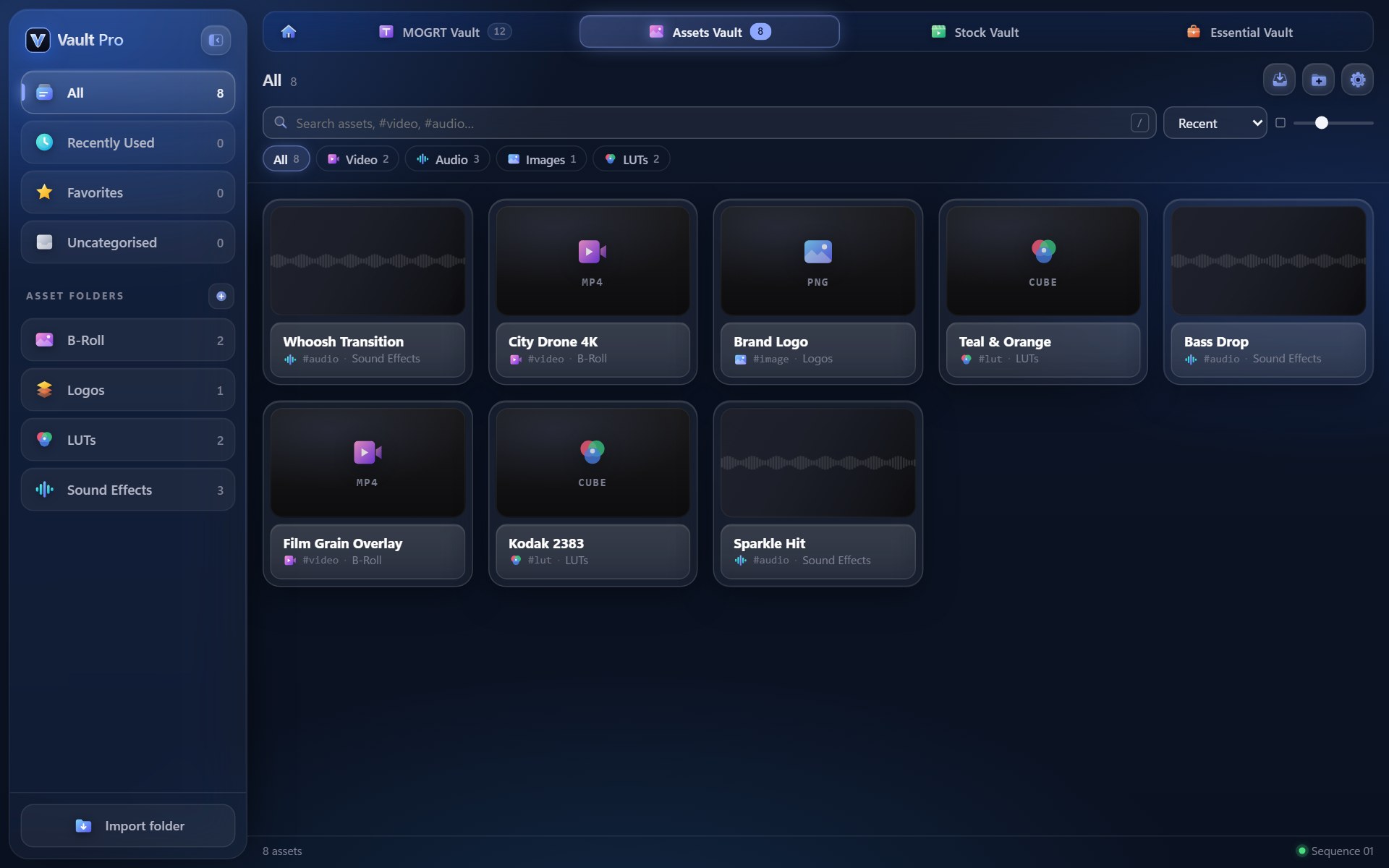
Sound effects, B-roll, logos and LUTs with waveforms, previews and type filters.

  • Listen to SFX and preview video on hover
  • Install a .cube LUT for Lumetri in one click
  • Filter by video, audio, images or LUTs
Get it now
Assets library with sound effects, LUTs and video
03

YouTube Vault

Search or paste a link, preview it full-screen, and bring only the part you need into your project.

  • Set start and end while you watch, download just that clip
  • Audio as MP3 or WAV; video up to 4K, Premiere-ready
  • "Free to use" filter for Creative Commons videos
Get it now
YouTube search results inside the panel
04

Stock Vault

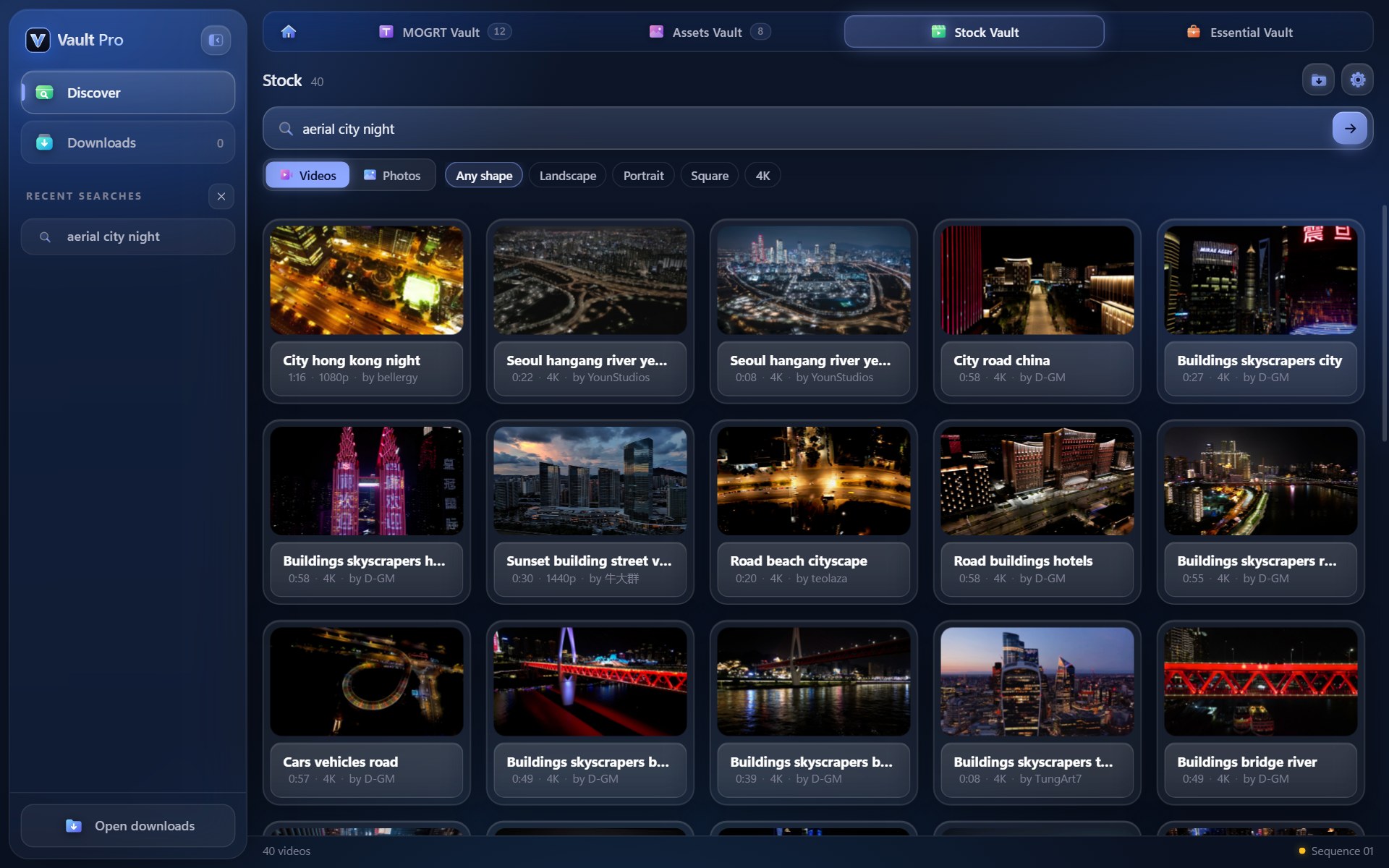
Millions of free stock videos and photos from Pixabay, searchable right in the panel.

  • Portrait filter for Reels and Shorts, plus 4K
  • Hover to preview, one click to download into a bin
  • Creator credit saved with every file
Get it now
Free stock footage search results
05

Essential Vault

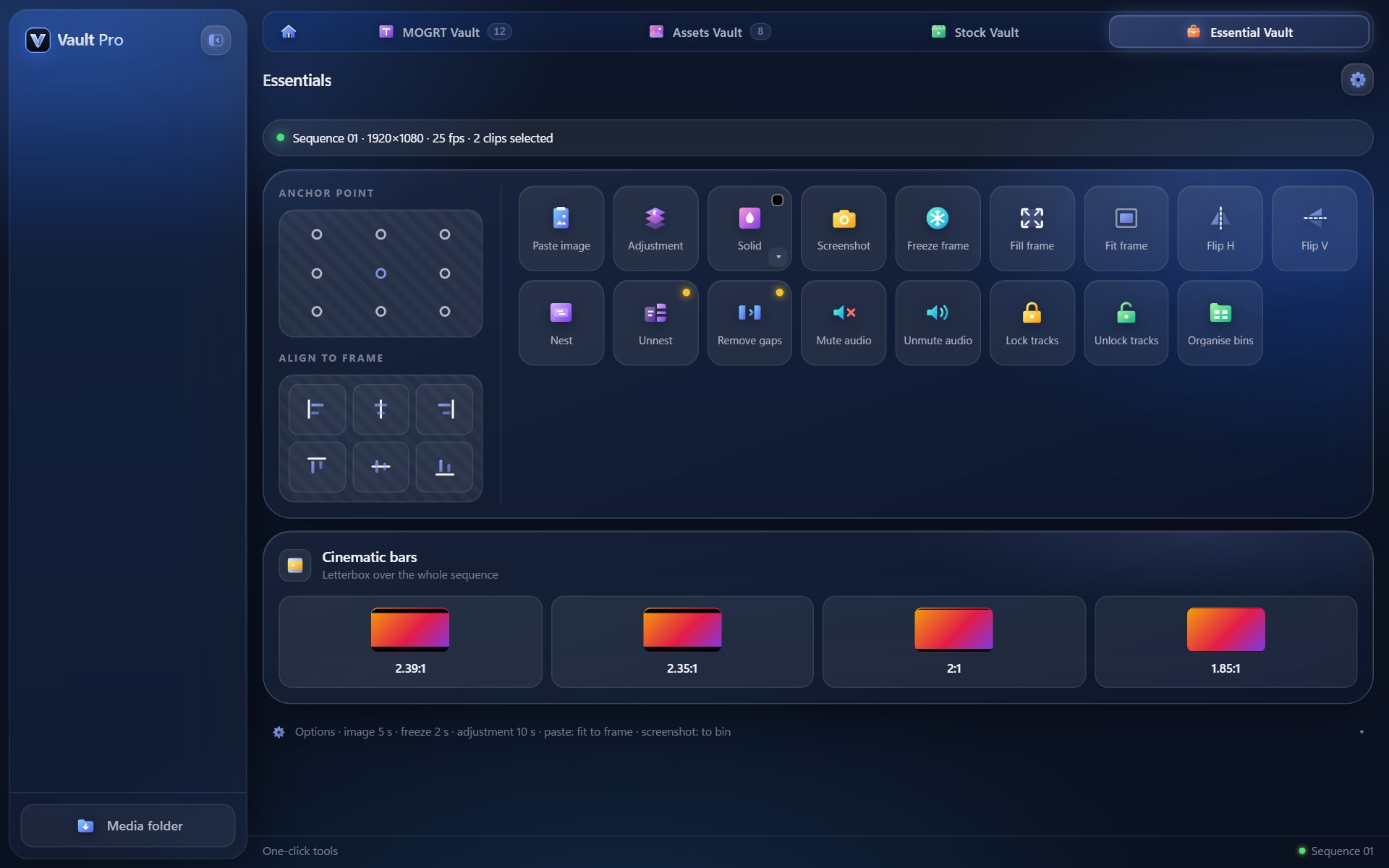
17 one-click tools for the jobs you do in every edit, with their own undo.

  • Paste an image, add adjustment layers, solids, freeze frames and screenshots
  • Anchor point, align, fill or fit the frame, flip
  • Nest, remove gaps, mute or lock tracks, organise bins, cinematic bars
Get it now
Essential Vault with 17 one-click tools
Why Vault Pro

Built by an editor, for editors

Never touches your edit

Everything lands on the next free track at the playhead. If every track is full, a new one is added.

Yours, on your computer

No subscription and no cloud. Your library and downloads stay on your machine, and it works offline.

Seconds, not minutes

Hover to preview, click to place. Jobs that took ten clicks in Premiere take one.

Make it yours

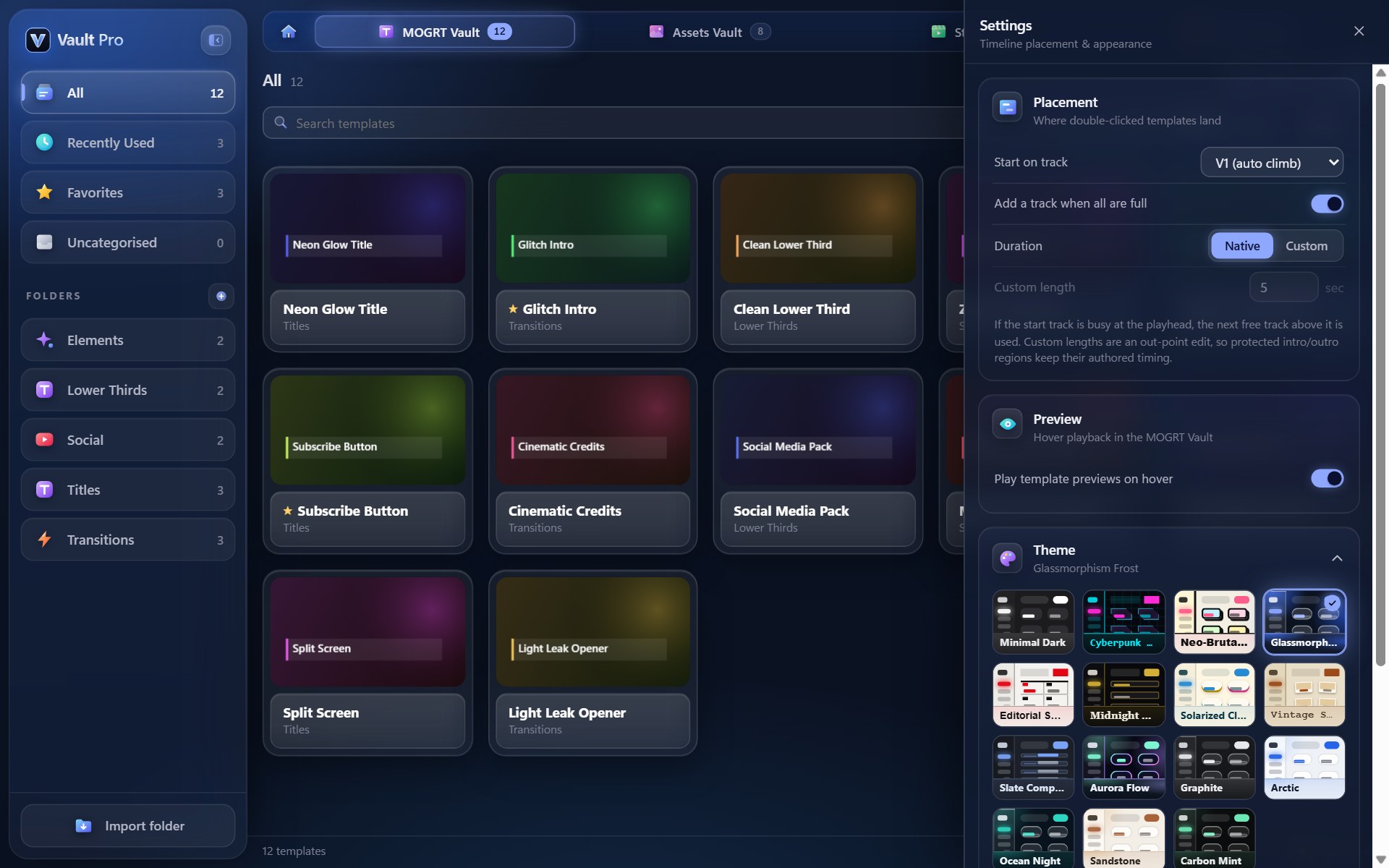
15 themes. One click.

Glass, neon, editorial, light or dark. The whole panel follows the theme you pick.

GlassmorphismCyberpunkNeo-BrutalEditorialMidnightArcticAurora Flow+ 8 more
Try it on this page
Theme picker with 15 panel themes
How it works

Editing in three steps

Buy and get your key

Your license key arrives by email right after payment.

Install the panel

Run the installer, then open Window › Extensions › Vault Pro in Premiere Pro.

Activate and edit

Paste your key once. After that it opens straight away, even offline.

FAQ

Questions, answered

Which Premiere Pro versions are supported?

Premiere Pro 2024 (version 24.0) and later, on Windows 10 and 11 and on macOS (Apple silicon and Intel Macs).

Do I need the internet?

Only once, to activate your key. After that Vault Pro works offline and checks in about once a week when you are online. Searching YouTube or stock footage needs a connection.

Can I use it on more than one computer?

One license works on one computer at a time. To move it, open Settings › License › Deactivate on the old computer, then activate on the new one. If your old computer is lost, write to us and we'll reset it.

Is it a subscription?

No. You pay once and keep using it, with free updates.

Are the stock videos free to use?

Stock Vault searches Pixabay, whose content is free to use under the Pixabay Content License. Crediting the creator is appreciated, and Vault Pro keeps the credit line with every download.

Can I use any YouTube video I download?

Only download videos you own or have permission to use. The "Free to use" filter finds videos published under Creative Commons. You are responsible for respecting copyright and YouTube's terms.

Can I undo the Essential tools?

Yes. Essential Vault keeps its own undo, and Ctrl+Z (⌘Z on Mac) works for its actions.

How do I get help?

Email support@renderlabs.in. We usually reply within a day.

Edit faster from today

All your templates, assets, footage and tools, one click from the timeline.

Get Vault Pro · ₹999